The term "Kanban" was originally conceived by the Japanese car manufacturer Toyota. It literally means "visual sign" or "visual card".
In the 1940s, when Toyota first used Kanban, the cards were paper notes pinned to a physical board (a Kanban board). Toyota workers used the kanban card system to create a transparent work process and reduce production waste.
Around 60 years later, the foundations of the Kanban method for knowledge work have been laid. Initially, the method was implemented in the software development industry and had an immediate positive impact on team productivity.
Nowadays, the Kanban method is widely spread across various industries: manufacturing, IT, software development, marketing, finance, etc. This is because any team works better and smarter when it is aware of its own challenges and those of the whole organization.
At the heart of the system, Kanban cards track work elements throughout the process.
What Is a Kanban Card?
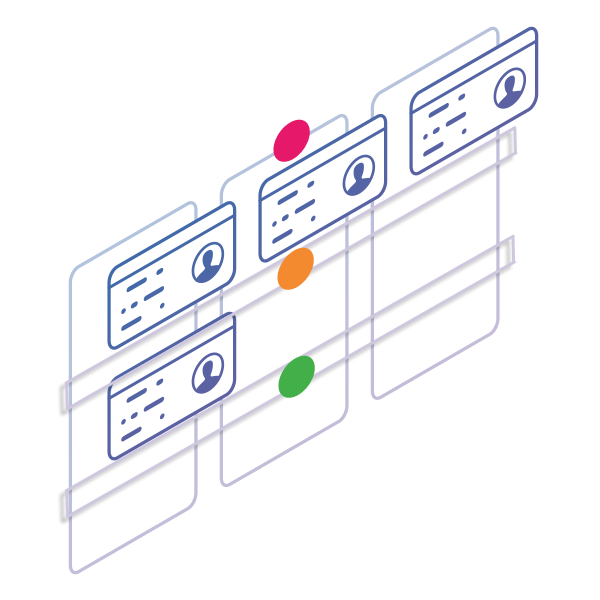
A Kanban card is a visual representation of a work item. Translated from Japanese, it literally means a visual (kan) card (ban). It is a core element of the Kanban system, representing work that has been requested or is already in progress.
A Kanban card contains valuable information about the task and its status, such as a summary of the assignment, the responsible person, the deadline, etc.

An example of a physical Kanban card
Indeed, Kanban cards are primarily used to visualize the progress of your assignments from the moment they're requested to the moment they're considered complete. They aim to "radiate" information for a single work item so teams can stay on the same page and quickly spot work issues. With the help of Kanban cards, you can:
- Build an information hub for work assignments
- Reduce the need for status update meetings
- Improve the overall transparency of the work process.
An essential aspect is that the number of Kanban cards in progress on the board should be limited. This way, you will avoid context switching and productivity issues.
See work. Fix flow. Deliver faster.
The Nature of Digital Kanban Cards
With the help of a digital Kanban solution, you can visualize different types of work information on Kanban cards. Digital cards have a front and back side where teams can enter work-related details.
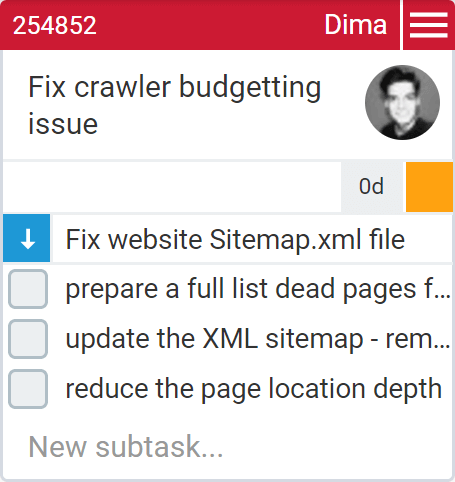
Digital Kanban cards have a front and back.
The front side provides basic information about the task, including description, title, assignee, cycle time, priority, and subtasks. This is the visible part of a card on a Kanban board, and it provides a quick overview of work items.
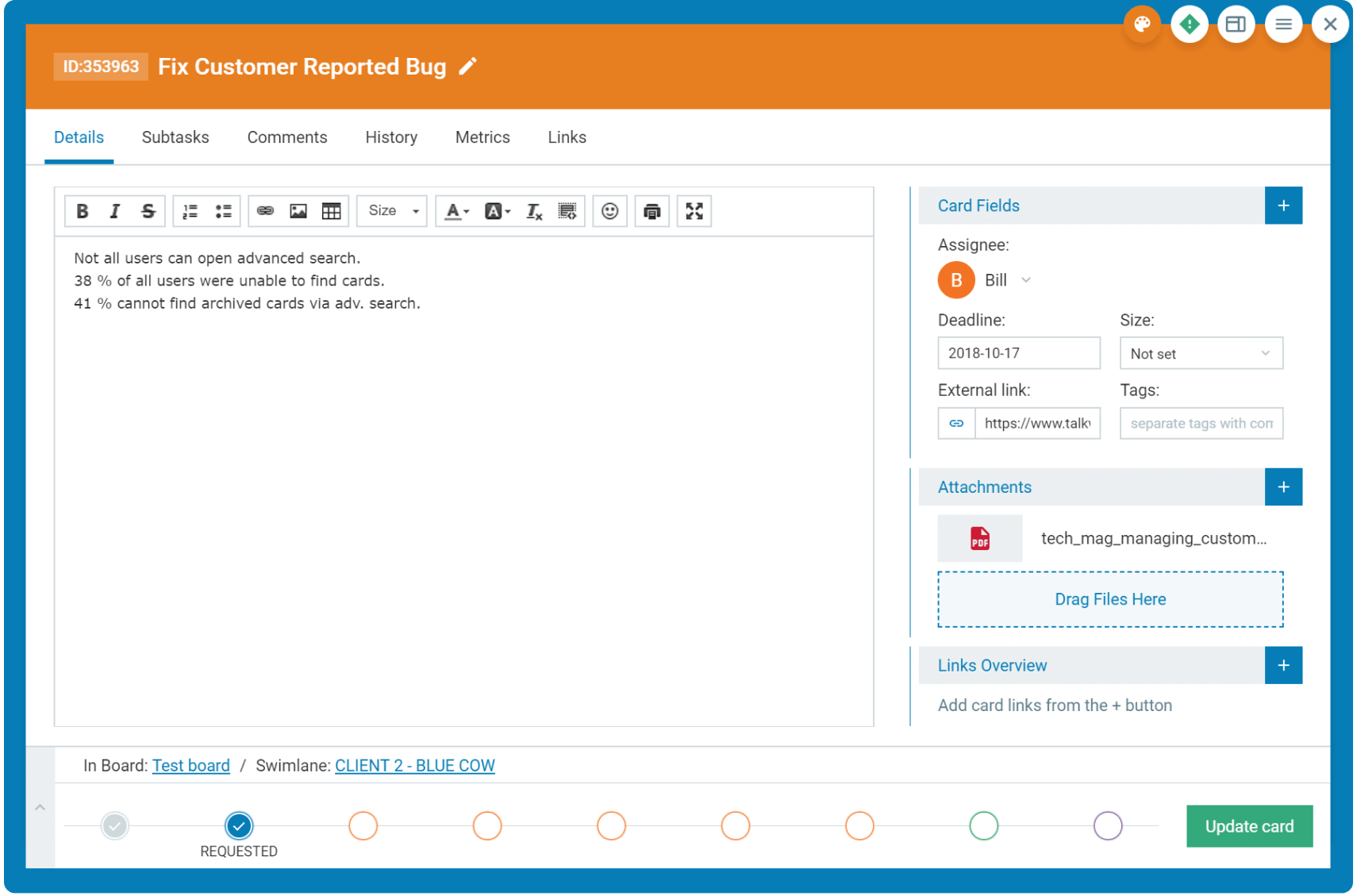
The card's reverse side can be used to record valuable metrics and information as it moves through the workflow. Here, your team can leave comments, attach files and external links, and check the card's historical data. This side of the card is visible when the card is open.
Kanban Card Configurations
Team members process information in different ways. Some prefer or need to view the entire dataset for a given task simultaneously, while others prefer to see only the most pertinent information for their role.
In this sense, good Kanban software solutions offer personal card configuration options. This means each member of a given board can configure a card view tailored to their preferences.
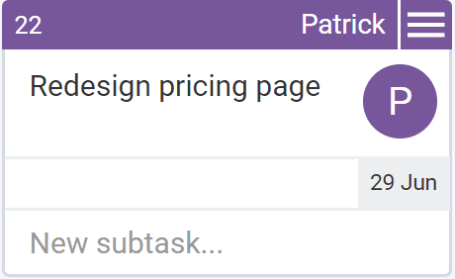
For example, a simple Kanban card configuration that displays basic task information may be appropriate for daily team meetings. This way, all team members can quickly get an overview of all current tasks without going into detail.
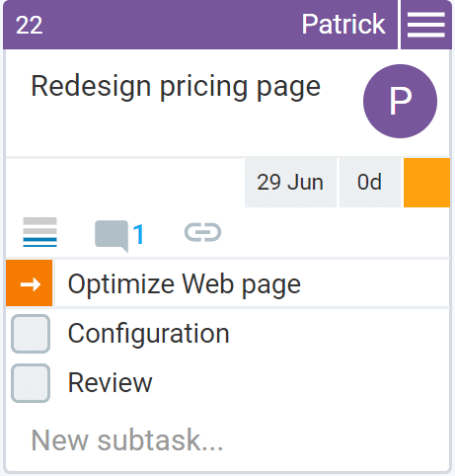
On the other hand, every team member needs more information when working on an individual task. Therefore, a personal Kanban card configuration that reveals the maximum amount of information can simplify the work process, improve visibility, and encourage team collaboration.
Kanban cards can be configured in many ways to display valuable information, such as deadlines, cycle times, attached files, subtasks, and more. You need to find the Kanban card configuration that best suits your workflow.
Kanban Card Templates
A great advantage of online Kanban software solutions is that you can use them to create different Kanban card templates. This is extremely helpful when the workflow involves recurring tasks.
You may consider it a standardization that helps work of the same type and scope be completed faster and within similar specifications.
Kanban card templates help you avoid duplicate effort and reduce rework. Templates provide all team members with a clear understanding of what needs to be done and a familiar format for task completion – this is not, in any way, intended to subdue team-member creativity. Rather, it allows the team to manage itself effectively and quickly recognize if assigned tasks might require special handling.
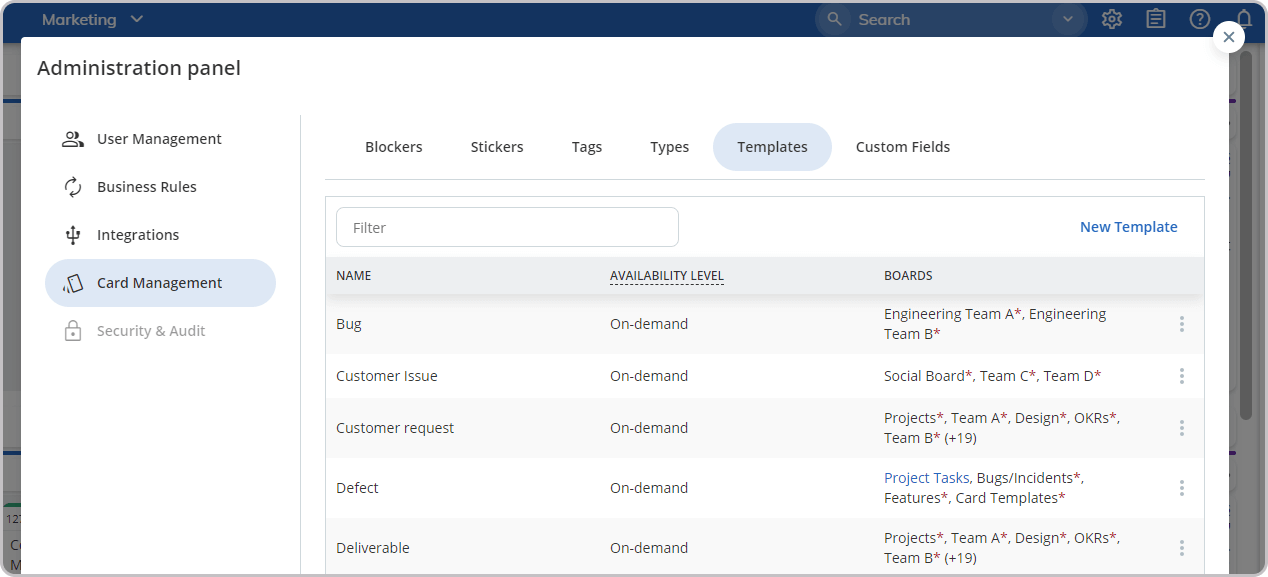
When using online Kanban solutions, the bottom line is you can create different templates that correspond to various types of work, each with their unique focus. For example, you can create a "customer bug" template, and every time there is a customer bug, you can load the relevant template while creating the card.
For example, you can create a "Feature" template, and whenever there is a feature to be developed, you can load the relevant template while creating the card.
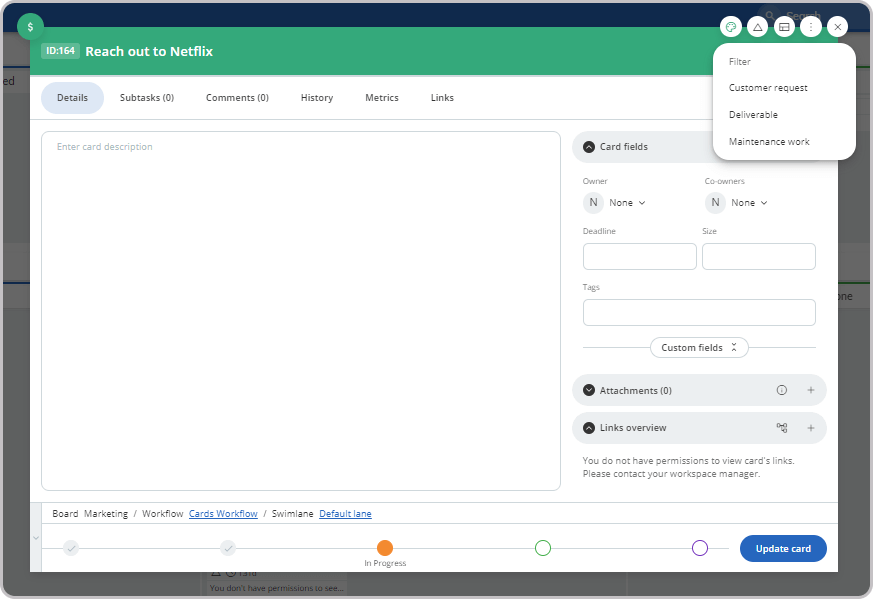
This way, the assignee of the card will know the exact steps that need to be done, their sequence, and any other notes that might assist with this style of work.
Some software solutions, like Businessmap, even allow you to use default Kanban card templates on your boards. This means that you can set predefined templates for specific areas on your Kanban board (such as a lane or workflow). As a result, teams can automate card creation using specific templates across different areas on a board.
Businessmap is the most flexible software
to achieve full work visibility across teams and portfolios